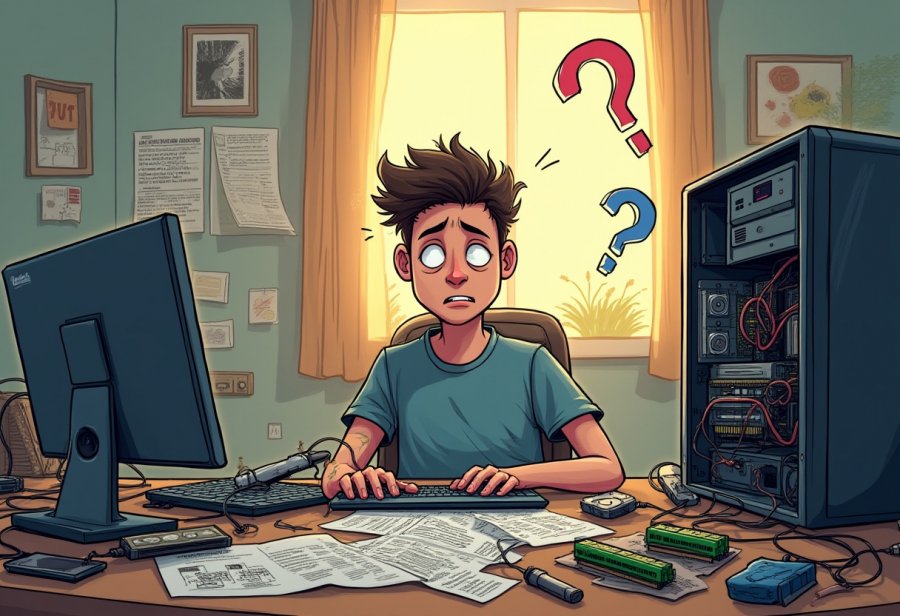
Embark on the humorous and often chaotic journey of DIY computer upgrades, where tangled wires, compatibility surprises, and missteps turn a straightforward task into a memorable adventure. While the allure of customizing and boosting your machine sparks excitement, the process is riddled with puzzles—misfitting parts, confusing manuals, and spaghetti-like cable chaos. Yet, amid the frustrations, there’s a charm in learning, tinkering, and sharing stories of mishaps like dropped screws or incompatible hardware. Are modern tools and modular designs making upgrades easier, or will chaos always be part of the experience? As technology advances, future upgrades promise less frustration with intuitive interfaces and compact components, but the unpredictability of hardware compatibility and unforeseen disasters remain. So, is the thrill of overcoming chaos worth the effort? Absolutely, especially when the satisfaction of a successful upgrade outweighs the mess and laughter along the way.

Embark on a Humorous DIY Computer Upgrade Journey
Upgrading your computer yourself can feel like stepping into a tech adventure—exciting, but often sprinkled with surprises. You start with a clear plan: swap out that old RAM, add a faster SSD, or upgrade your graphics card to boost gaming performance. It all seems straightforward at first, like a DIY project you can handle in an afternoon. But once you open the case, things quickly get more complicated than expected. Cables twist into knots, screws go missing, and components don’t always fit as neatly as the manuals suggest. Suddenly, your smooth plan turns into a puzzle with more pieces than you thought.
There’s a certain charm in doing it yourself, even when chaos ensues. It’s about more than saving money; it’s the thrill of tinkering, learning, and customizing your machine. Choosing shiny new parts—whether it’s RGB fans or a sleek new case—gives a sense of control that’s hard to match with pre-built systems. Building or upgrading your own PC is satisfying in a way that no store-bought machine can match, even when you’re battling stubborn screws or deciphering cryptic instructions.
Of course, this process isn’t without its moments of chaos. Compatibility surprises pop up when parts don’t quite match or cables refuse to cooperate. Watching your neatly planned setup turn into a tangled mess can feel like witnessing a mini tornado inside your case. It requires patience, a steady hand, and a good sense of humor to untangle those spaghetti-like wires. Every mishap—whether a dropped screw or a misfired connection—becomes part of the story, a funny story you’ll tell later over drinks or with friends who’ve been there too.
Sometimes, hardware simply refuses to cooperate. You might spend hours installing a new component only to realize it’s incompatible with your existing setup. Maybe your new CPU doesn’t fit the socket, or your power supply isn’t quite strong enough for that high-end GPU. These surprises often mean tearing everything down and starting over, which can be frustrating. But they also teach patience and the importance of double-checking every detail before you dive in.
And let’s not forget the classic Murphy’s Law moments—dropping a screw into the case, knocking over a tiny component, or realizing you forgot to connect a cable. These little disasters may seem maddening in the moment, but they often become the funniest stories later. They remind us that even experienced DIYers face chaos and that sometimes, the mishaps are what make the process memorable. Embracing this chaos, with a smile and a sense of humor, turns frustration into a badge of honor.
Building or upgrading your PC isn’t just about hardware; it’s about embracing the chaos and enjoying the journey. Every challenge, every screw lost, every tangled cable adds to the experience. It’s a process of trial and error, of learning and laughing at the missteps. And in the end, the satisfaction of a successful upgrade—despite all the chaos—is what makes it all worthwhile.
Expect the Unexpected in Your Tech Tinkering Adventures
When you start tinkering with your PC, prepare for a comedy of errors that can turn even a straightforward upgrade into a chaotic adventure. Hardware compatibility is often the first punchline—buy a shiny new graphics card only to find it doesn’t quite fit your case or isn’t supported by your motherboard. Specs that look perfect on paper suddenly become riddles once you try to assemble everything, turning a simple swap into a frustrating puzzle. Double-checking socket types, power needs, and dimensions becomes your new favorite pastime, often leading to more head-scratching than you bargained for.
Cable management is another source of endless amusement—and frustration. No matter how carefully you plan, wires tend to cross, loop, and knot themselves into what looks like modern art gone wrong. Watching your carefully laid-out cables transform into a spaghetti nightmare can feel like witnessing a mini tornado inside your case. Untangling this mess demands patience, a steady hand, and a good sense of humor because fighting with the cables often seems like a never-ending battle with no clear winner.
Then there are the classic installation slip-ups. Forgetting to seat a RAM stick properly or leaving out a power connector can instantly turn your shiny new upgrade into a silent, lifeless box. Reseating components multiple times, trying different configurations—these moments often involve more swear words than you’d like to admit. Dropping a screw or knocking over a tiny part inside the case only adds to the slapstick comedy. These mishaps are embarrassing in the moment but become the stories you laugh about later, sharing over drinks with friends who’ve faced similar chaos.
Hardware incompatibility is another comedy staple. You might spend hours installing a new component only to realize it’s incompatible with your current setup. Perhaps your new CPU doesn’t fit the socket, or your power supply isn’t strong enough for that high-end GPU. These surprises often mean tearing everything down and starting from scratch, which can feel like a full-body workout in frustration. Yet each stumble teaches patience and the importance of double-checking every detail before diving in.
Most of all, unexpected disasters—like dropping a screw into the case or discovering a cable is too short—keep the humor alive. These moments remind you that even seasoned DIYers face chaos, and that’s part of the fun. Sharing these stories makes the process memorable, transforming frustration into laughter. Embracing the chaos with humor turns what could be a stressful experience into a genuine adventure, one that’s as much about the journey as the end result.
Navigate the Comedy of Errors in DIY Hardware Upgrades
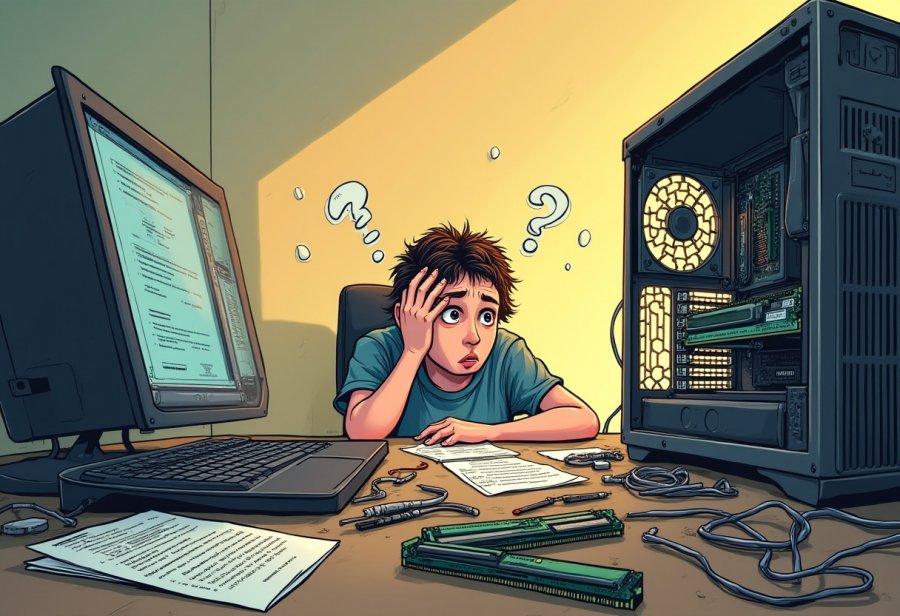
Navigating the world of DIY tech upgrades often feels like stepping into a comedy sketch where even the best plans can go hilariously wrong. The first punchline is usually hardware compatibility—buying a shiny new graphics card only to find it doesn’t quite fit your case or isn’t supported by your motherboard. Specs that seem perfect on paper become riddles once you try to assemble everything, turning a simple upgrade into a frustrating puzzle. Double-checking socket types, power needs, and dimensions becomes your new favorite pastime, often stretching your patience thin.
Cable management is another endless source of amusement—and frustration. No matter how carefully you plan, wires tend to cross, loop, and knot into what looks like modern art gone wrong. Watching your neatly laid-out cables spiral into a spaghetti nightmare can feel like witnessing a mini tornado inside your case. Untangling that mess demands patience, a steady hand, and a good sense of humor because fighting with cables often feels like a never-ending battle with no clear winner.
Then come the classic slip-ups. Forgetting to seat a RAM stick properly or leaving out a crucial power connector can turn your shiny new build into a silent, lifeless box. Reseating components multiple times, trying different configurations—these moments involve more swear words than you’d like to admit. Dropping a screw or knocking over a tiny part inside the case only adds to the slapstick comedy. These mishaps are embarrassing in the moment but become the stories you laugh about later, sharing over drinks with friends who’ve been there too.
Hardware incompatibility is another comedy staple. Spending hours installing a new component only to realize it’s incompatible with your setup can feel like a full-body workout in frustration. Perhaps your new CPU doesn’t fit the socket, or your power supply isn’t enough for that high-end GPU. These surprises often mean tearing everything down again, turning a quick upgrade into a full-blown puzzle. But each stumble teaches patience and the importance of double-checking every detail before diving in.
Most of all, unexpected disasters—like dropping a screw into the case or discovering a cable is too short—keep the humor alive. These moments remind you that even seasoned DIYers face chaos, and that’s part of the fun. Sharing these stories makes the process memorable, transforming frustration into laughter. Embracing the chaos with humor turns what could be a stressful experience into a genuine adventure.
In the end, navigating DIY upgrades is as much about learning patience as it is about technical skill. Every mistake, every tangled wire, and every surprise adds to the story. The key is to stay flexible, keep a sense of humor, and see each hiccup as a chance to grow. After all, the chaos is what makes the journey memorable—and the satisfaction of finally getting everything to work makes it all worthwhile.
Master Practical Tips to Tame the Chaos of Upgrading
Before you dive into your upgrade, taking a moment to organize your workspace can save you a lot of headaches. Clear a large, flat surface—think of it as prepping a clean stage for your hardware drama. Gather all the tools you’ll need: screwdrivers, thermal paste, anti-static wrist straps—and lay out your components nearby. Labeling cables and parts as you disconnect them might seem like extra effort, but it pays off by preventing hours of confusion later on. A tidy workspace helps keep screws from getting lost, cables manageable, and the entire process smoother and less stressful.
Double-check compatibility before you start unscrewing anything. Review your motherboard’s manual or online specs to ensure your new parts will fit and work together. Confirm socket types, power requirements, and dimensions—these details matter more than you might think. Spending a few extra minutes here can prevent hours of frustration trying to force incompatible hardware into your setup. If you’re unsure, consult online forums or tutorials specific to your hardware—they can provide helpful insights and save you from costly mistakes.
Once everything’s ready, follow a step-by-step plan. Power down your PC, unplug it, and carefully open the case. Disconnect old components methodically—cables first, then hardware. When installing new parts, take your time. Make sure each connection is secure, especially RAM sticks and power cables—they often make or break the startup. Before closing everything up, do a quick visual check: are all cables plugged in? Are there tools or parts left inside? Small inspections now can prevent bigger problems down the line.
Backing up your data before starting is a smart move. If something goes wrong—say, hardware incompatibility or a faulty part—you’ll be glad your important files are safe elsewhere. Use an external drive or cloud storage as a safety net. This extra step might add a few minutes but can save hours of stress. Remember, patience is key; don’t rush to close the case if you’re feeling uncertain. Taking a moment to review your work helps prevent mistakes and sets the stage for a successful upgrade.
Expect mishaps—they’re part of the process. If your system refuses to boot or errors appear, revisit each step calmly. Reseat components, double-check connections, and consult troubleshooting guides. Sometimes, a small adjustment makes all the difference. Keeping a sense of humor about the process turns setbacks into part of the fun. Each mistake is an opportunity to learn and improve, making your future upgrades smoother and more confident.
Finally, embrace the chaos as part of the journey. Mistakes like tangled cables or forgotten screws happen, but they’re also what make the experience memorable. Stay flexible, keep a cool head, and treat each hiccup as a chance to grow. With patience and a bit of humor, you’ll turn even the messiest upgrade into a satisfying victory. After all, the best stories often come from the most chaotic adventures—so enjoy the process as much as the final result.
Explore the Future of Stress-Free, Innovative DIY Tech Upgrades
Looking ahead, the world of DIY tech upgrades is poised to become more accessible and less chaotic—though a few surprises will likely stick around. Modular hardware designs are gaining popularity, making it easier to swap out components without the usual wrestling match with oversized cards or tangled wires. These plug-and-play parts can significantly reduce the frustration of compatibility issues and streamline the upgrade process, even for those new to tinkering. As a result, what once felt like a daunting puzzle may soon become a straightforward, almost intuitive routine.
Software tools are also evolving to support this shift. Modern BIOS interfaces are becoming more user-friendly, often incorporating visual guides and step-by-step troubleshooting. Emerging AI-powered diagnostics could soon help identify compatibility problems or wiring errors before you even power up, saving time and sparing you the headache of trial and error. Imagine having a virtual assistant guiding you through each step, alerting you to loose connections or mismatched parts—making DIY upgrades more approachable and less intimidating.
Hardware itself is moving toward smaller, more integrated modules that fit into tighter spaces and are easier to install. These compact components reduce the need for wrestling with large, bulky parts, cutting down on the chaos of tangled cables and oversized cards. For those working with limited space or upgrading older machines, this evolution promises a smoother experience. The days of fighting with giant GPUs or clumsy power supplies may give way to sleek, efficient modules that simplify the process.
However, as hardware advances, staying current will remain a challenge. New socket types, faster standards, and emerging technologies mean you’ll need to keep learning to avoid compatibility pitfalls. But each generation of components aims to make upgrades less about guesswork and more about confident, informed decisions. The trend points toward a future where troubleshooting is quicker, and the chaos of incompatible parts is less frequent.
Preparing for these changes means cultivating flexibility and a willingness to adapt. Each mistake or setback becomes an opportunity to learn, especially as standards evolve and new standards emerge. Keeping data backed up, documenting your steps, and maintaining a sense of humor will be key in managing the inevitable hiccups. As communities grow around DIY hardware, online guides and shared experiences will help transform chaos into a collective adventure rather than a solo struggle.
Overall, the future of DIY upgrades looks promising. While some level of chaos and surprises may always be part of the journey, innovations in hardware design and software support are steadily reducing the frustration factor. The process will become more predictable, more fun, and more rewarding, turning what was once a chaotic mess into a satisfying hobby. With each new development, you’ll find it easier to navigate the chaos and enjoy the thrill of creating a machine that’s uniquely yours.
About the Author